
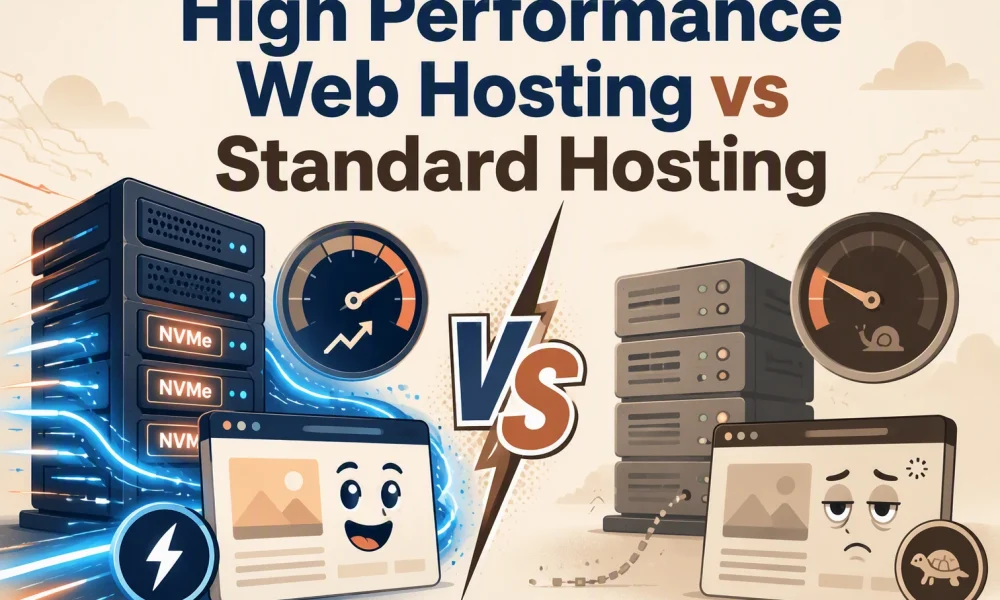

Quick Summary: Premium hosting keeps busy sites like ecommerce stores fast during traffic spikes with dedicated CPU, NVMe storage, and LiteSpeed caching, while standard hosting struggles under load and risks throttling checkouts or logged-in views. The real test is uncached pages and dynamic workloads-not just cached homepages-where premium plans offer clearer scaling paths and priority support. Talos Hosting stands out by combining these performance features with lifetime plans to avoid renewal surprises. For simple blogs or low-traffic projects, standard hosting cuts costs, but anything handling spikes or plugins like WooCommerce needs premium resources to avoid lost sales.
A slow WordPress store can lose sales during a traffic spike. Premium hosting fits busy stores, lead sites, and client work, while standard plans suit simple, low-traffic sites. Compare premium hosting by real capacity, caching, network quality, and support. This guide assesses premium hosting against standard options, including Talos Hosting and other providers, using workload, scaling, and total value.
Premium Hosting vs Standard Hosting: At a Glance
| Premium high performance web hosting | Standard web hosting | |
|---|---|---|
| Performance consistency | More consistent under traffic and dynamic workloads | Adequate for modest workloads, less predictable during contention or spikes |
| Resource allocation | Higher or more isolated CPU, RAM, storage, and process capacity | Shared or lower-tier resources with tighter usage limits |
| Scalability | Usually offers clearer upgrade paths to cloud, VPS, or dedicated resources | May require a plan migration when traffic or application demands increase |
| Management and support | Often includes priority, managed, or migration-focused support | Self-service support with standard assistance |
| Best fit | Business, ecommerce, agency, high-traffic, and performance-sensitive sites | Personal blogs, brochure sites, prototypes, and low-traffic projects |
How Premium high performance web hosting and Standard web hosting Compare
Premium high performance web hosting
This hosting suits businesses, stores, agencies, and busy sites that need steadier capacity. It typically provides more isolated CPU, RAM, and storage, plus clearer paths to VPS, cloud, or dedicated resources.
Standard web hosting
Standard hosting fits small blogs, brochure sites, and early projects with modest demand. It keeps costs low but uses shared resources and tighter limits, which can cause delays during traffic spikes or busy periods, as shared-hosting resource limits explain.
Performance Under Real Website Workloads
What Actually Makes Premium Hosting Faster?
Premium hosting stays fast when real work hits the server: logged-in users, checkout requests, database searches, and traffic spikes. It is not just a high score on a cached home page.
- NVMe storage reads files and database data faster.
- More CPU and RAM headroom prevents slowdowns when requests pile up.
- LiteSpeed and server caching reduce repeat work for WordPress pages.
- US data centers can cut network delay for US visitors.
Google notes that slow app logic, database queries, CPU limits, and memory limits can all raise response time. Its guidance recommends keeping server response below 200 ms.

| Workload | Standard hosting risk | Premium hosting advantage |
|---|---|---|
| WooCommerce checkout | Queued requests | More resources for dynamic pages |
| Traffic spike | CPU throttling | Better capacity and scaling |
| Large WordPress site | Slow database reads | Faster storage and caching |
Test uncached pages, checkout, and logged-in views. Cached homepage tests hide real server strain.
Also Read: Enterprise Web Hosting vs VPS Hosting for Big Traffic
Resources, Reliability, and Growth Capacity
When Standard Hosting Stops Being Economical
Standard hosting stops saving money when traffic spikes slow checkout, dashboards, or client sites. Watch for:
- CPU or memory limits reached during busy hours
- Repeated downtime or support tickets
- Paid upgrades that still share crowded server resources
NIST advises buyers to compare capacity by specific measures such as cores, speed, storage, and response time, not broad plan labels. NIST guidance supports this approach.
| Need | Standard hosting | High-performance hosting |
|---|---|---|
| Traffic burst | May throttle | More headroom |
| Growth | Manual moves | Easier scaling |
Tip: Price the lost leads and staff time, not just the monthly plan.
Also Read: High Performance Web Hosting: 10 Fast Options for 2026
Support, Management, and Total Cost of Ownership
A low monthly price can cost more if your team handles backups, fixes, and outages. The EPA notes that total ownership includes purchase, operations, and maintenance costs, not just the initial fee.
| Cost area | What to check |
|---|---|
| Support | Response time and real technical help |
| Management | Backups, updates, security, migrations |
| Long-term price | Renewal fees and upgrade costs |

Compare the time your team spends managing hosting, not only the plan price.
Talos Hosting’s lifetime plans can reduce renewal surprises.
Also Read: Business Website Hosting vs Shared Hosting: Key Differences
Which Should You Choose: Premium Hosting or Standard Hosting?
Choose standard hosting for a small brochure site, light blog, or short-term project with steady traffic. Choose premium hosting for stores, client sites, busy blogs, apps, or sites where slowdowns cost leads.
| Your situation | Better fit |
|---|---|
| Low traffic and simple pages | Standard hosting |
| Traffic spikes or resource-heavy plugins | Premium hosting |
| Need room to grow without disruption | Premium hosting |
Test your real site first. PageSpeed Insights uses both lab and real-user data to flag performance issues.
Talos Hosting suits teams that want high-performance hosting without recurring renewal fees.

Choose Talos Hosting for fast NVMe and LiteSpeed hosting that scales without renewal fees.
Frequently Asked Questions
Q1: Compare leading high performance web hosts?
Compare server response under load, NVMe storage, caching, uptime history, support quality, and upgrade paths. Check renewal costs too. Talos Hosting suits buyers who value US-based infrastructure and no renewal fees.
Q2: When should I leave standard hosting?
Move when traffic spikes slow pages, backups fail, or your site needs more CPU and memory.
Q3: Does high performance hosting help SEO?
It can help by improving page speed, uptime, and user experience. It will not replace strong content or sound technical SEO.
Conclusion
Choose high-performance hosting when uptime, traffic spikes, and fast responses affect revenue. Web performance guidance confirms speed shapes user experience.

How High Performance Web Hosting Reduces TTFB
High Performance Web Hosting: 10 Fast Options for 2026




No Comment! Be the first one.