
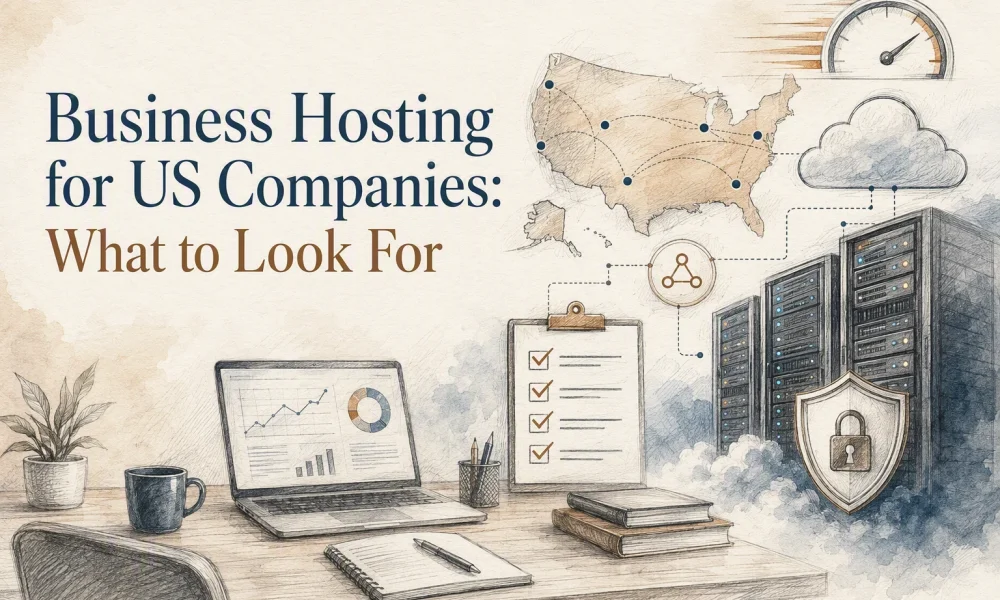

Quick Summary: US companies need reliable, secure hosting that prioritizes uptime, support, and security over low initial prices. Businesses should compare total costs, including renewals and extras, and choose hosting types based on their site’s risk level and growth needs. The key factors are uptime, US-based support, backups, security, and upgrade options to protect revenue and reputation.
One hour offline during a launch can cost far more than your hosting bill. It can kill leads, waste ad spend, and make your brand look shaky. That is the core problem this guide solves. It shows how to compare US business hosting by uptime, support, security, scale, and real cost. I wrote this for teams buying US business hosting for revenue sites, not hobby blogs. Good US business hosting protects growth.
What Business Hosting Needs to Do for a US Company
A business site needs more than cheap storage. It has to protect sales, customer data, and your team’s time.
A personal site can survive a short outage. A business site cannot. If your site handles leads, bookings, payments, or client logins, hosting becomes part of daily operations. The FTC says small businesses need backups, strong security, and a breach plan because cyberattacks hit firms of every size FTC small business cybersecurity guidance.
The minimum bar is simple:
- SSL/TLS
- daily backups
- fast support
- malware scanning
- real uptime monitoring
The FTC also found many hosts support SSL setup, but email anti-phishing controls are less consistent, so ask about SPF, DKIM, and DMARC before you buy FTC web host staff perspective.
Also Read: Related Posts – Talos Hosting Blog
How to Compare Hosting Plans Without Getting Trapped by Promo Pricing
Start with the full 3-year cost. Many cheap plans only stay cheap for the first term. A 2026 hosting pricing study found renewal increases vary by provider and plan, with reported multipliers ranging from 1.7x to 5.3x according to the Renewal Multiplier Index. Add setup fees, domain renewals, SSL, and paid backups before you compare plans.
- Check year 1 total
- Check renewal total
- Check all extras
Then check performance headroom. Ask what happens if traffic doubles, your store adds plugins, or your agency adds client sites. Compare CPU, RAM, NVMe storage, and upgrade paths, not just “unlimited” claims.
Cheap hosting gets expensive fast if slow speed forces an early move.
Last, verify support, backups, and migration terms. The FTC says recurring charges must have clear terms and simple cancellation under its negative option rule process. Read the restore fees, backup limits, and migration scope before you buy.
Also Read: Uncategorized – Talos Hosting Blog
Which Hosting Type Fits Your Business Model
- Shared hosting for simple company sites
Choose shared hosting if your site is mostly static and low risk. Think brochure sites, portfolios, or one-location service businesses. HostingDive says shared hosting fits new, small sites where downtime will not hurt much.

-
Managed WordPress hosting for content and lead generation
Pick managed WordPress if your site drives leads, bookings, or steady content traffic. You pay more, but you get backups, staging, caching, and WordPress-aware support. OpsForge Labs notes managed hosting shifts server patching, backups, and hardening to the provider. -
VPS or cloud hosting for scale, custom apps, and ecommerce
Use VPS or cloud when you need more control, better isolation, or room to grow. This fits stores, custom apps, agencies, and busy sites with spikes. If no one on your team can manage servers, a managed option like Talos Hosting is usually the safer buy.
Also Read: Business Hosting Pricing: 9 Plans Worth Comparing
The Final Checklist Before You Choose a Host
Use a business-first checklist
Pick a host by business impact, not promo price. Check five things first:
- Uptime record
- US-based support quality
- Backup and restore speed
- Security basics
- Upgrade path
Uptime Institute says over half of respondents saw serious outages cost more than $100,000 in its 2025 outage analysis.
Ask for proof, not promises. Status pages, backup terms, and support limits tell you more than the homepage.
Choose based on your risk profile
Match the host to what failure would cost you. If your site brings leads, sales, or client work, pay more for stronger support and faster recovery. CISA advises businesses to keep offline, encrypted backups and test restores in its small business backup guidance.
- Low risk: brochure site
- Medium risk: content or lead gen
- High risk: ecommerce, apps, client hosting

Choose hosting built for uptime, speed, and stable costs. See how Talos Hosting gives US businesses secure, scalable lifetime hosting with no renewal surprises.
Frequently Asked Questions
Q1: Best business hosting for US companies?
Pick the host that fits your traffic, support needs, and risk level. Most US companies should favor uptime, US-based support, backups, security, and room to grow over low intro pricing.
Q2: Should I choose shared, VPS, or dedicated hosting?
Choose shared for small sites, VPS for growing traffic, and dedicated for heavy apps or strict control. Most businesses outgrow cheap shared plans faster than they expect.
Q3: What matters more than headline price?
Look at total cost. That includes renewals, backups, SSL, migration, support speed, and downtime risk. A stable host like Talos Hosting can save money long term if performance and fixed pricing matter.
Conclusion
Pick hosting by uptime, support, security, scale, and real cost. That works because security failures still hit major hosts, as the FTC’s 2025 action shows, and CISA warns any public site can be attacked.





No Comment! Be the first one.