
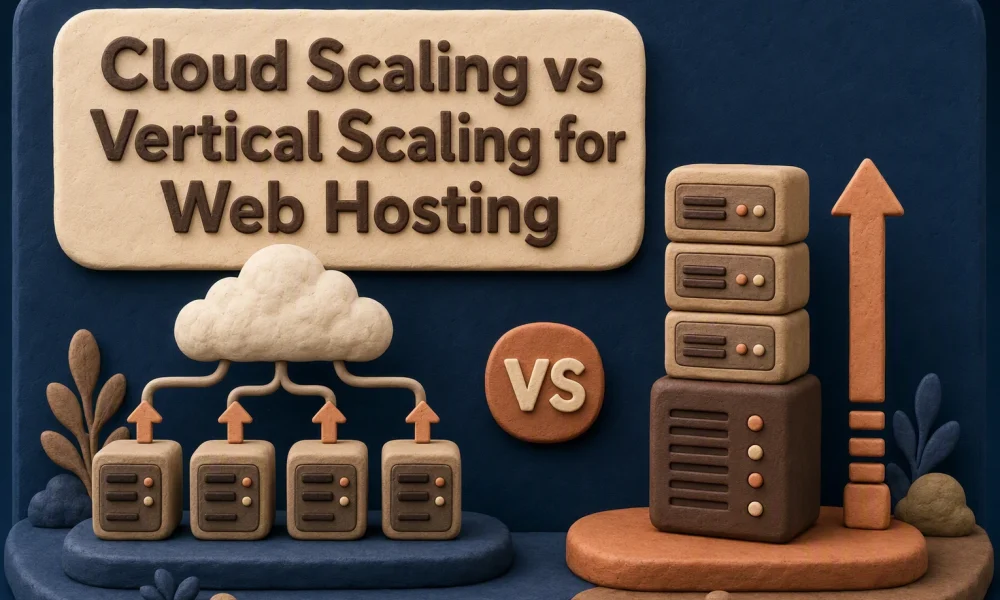

Quick Summary: Vertical scaling works best for steady, predictable growth-like a blog needing more RAM-because it’s simple and avoids single-server failure risks. Cloud scaling handles sudden spikes, like a viral launch, by distributing load across multiple servers, but requires setup or managed support to work reliably. The real bottleneck is often not CPU or RAM but slow queries, plugins, or external APIs-fix those first. Vertical scaling costs more upfront for unused capacity, while cloud scaling can get expensive during unexpected traffic surges.
A launch can push a WordPress store from hundreds of visits to thousands within hours. Cloud scaling is safer for sharp demand, while vertical scaling suits steady growth. This cloud scaling comparison examines CPU, PHP workers, database load, failures, costs, and setup. Choose based on real bottlenecks, not a plan labeled cloud.
Cloud Scaling vs Vertical Scaling: At a Glance
| Cloud scaling | Vertical scaling | |
|---|---|---|
| Scaling mechanism | Adds pooled resources or additional virtual instances | Upgrades resources on one server |
| Traffic-spike handling | Strong when capacity distribution or autoscaling is configured | Good for planned spikes when upgraded in advance |
| Growth ceiling | Higher and less dependent on one server | Limited by the maximum server size |
| Failure tolerance | Can reduce single-server risk with redundancy | A single-server failure can affect the entire site |
| Operational complexity | Moderate to high, unless fully managed | Low; usually a plan or instance upgrade |
| Cost behavior | Flexible, but usage and managed-service costs vary | Predictable tier pricing, paid continuously |
How Cloud scaling and Vertical scaling Compare
Cloud scaling
Cloud scaling spreads demand across pooled resources or added virtual instances. It suits sites with sharp traffic swings, but needs sound setup or managed support. NIST defines cloud resources as rapidly provisioned from a shared pool.
Key strengths
- Higher growth ceiling
- Reduces single-server risk
Vertical scaling
Vertical scaling adds CPU, RAM, or storage to one server. It fits teams that want a simple, planned upgrade path, with predictable tier costs.
Key strengths
- Low operational effort
- Works well for planned demand
How Each Scaling Model Handles Real Website Growth
Predictable Growth Versus Sudden Demand
Use vertical scaling when traffic rises in steady steps. A growing blog may need more RAM, CPU, or storage, but it can usually schedule an upgrade during a quiet window. One stronger server is simple to run.
Use horizontal scaling for launch-day spikes, viral posts, or sale traffic. It adds copies of your app behind a load balancer. Google notes that autoscaling can react to CPU, traffic, latency, or custom metrics, though new capacity can take time to start. Google Cloud’s elasticity guidance recommends planning ahead for known peaks.
| Growth pattern | Better fit | Main watch-out |
|---|---|---|
| Gradual, predictable rise | Vertical | Server size has a ceiling |
| Sudden, uneven surge | Horizontal | App must support multiple instances |
Tip: Pre-scale before a planned campaign. Autoscaling is not instant.
Also Read: 7 Hosting Providers Built for Reliable Business Scalability
Performance Bottlenecks, Reliability, and Technical Trade-Offs
The Bottleneck Is Not Always the Server Size
More CPU and RAM will not fix a slow database query, plugin conflict, disk wait, or a blocked external API. Check real limits before upgrading:
- Database query time
- PHP worker use
- Cache hit rate
- Network response time
Google’s scaling guidance notes that even large virtual machines have hard limits.

Tip: Fix the busiest shared resource first. It often costs less than adding server power.
Single-Server Risk Versus Distributed Complexity
A larger server is simple to run, but it remains one failure point. Distributed hosting can route traffic around a failed node, yet it adds load balancing, shared storage, data sync, and more monitoring.
| Setup | Main trade-off |
|---|---|
| Vertical scaling | Simple, but limited and exposed to one server failure |
| Horizontal scaling | More resilient, but harder to manage and test |
Redundant resources reduce single points of failure, but only if failover works under load.
Also Read: Enterprise Hosting vs Scalable Hosting: Which Wins for Growth?
Cost and Migration Implications as Traffic Accelerates
Vertical upgrades raise your fixed hosting bill before demand arrives. Cloud capacity can track use, but check whether it truly adds instances automatically. NIST defines rapid elasticity as resources that can be quickly provisioned and released.

| Choice | Main cost risk | Migration work |
|---|---|---|
| Vertical scaling | Paying for idle capacity | Usually low |
| Horizontal cloud scaling | Usage spikes and data transfer | App, database, and session changes |
Test backups, DNS cutover, and database load before a traffic event.
Also Read: Hosting Scalability: 8 Platforms Built for Fast Growth
Which Should You Choose for Rapid Website Growth?
Choose vertical scaling for a single site with steady growth and simple management. Choose horizontal cloud scaling for traffic spikes, high uptime needs, or many concurrent users. AWS recommends load testing first to find the real bottleneck.
A larger server cannot fix a slow database or uncacheable pages.
Choose dependable capacity before traffic becomes a crisis. Talos Hosting offers fast NVMe and LiteSpeed hosting with lifetime pricing.
Frequently Asked Questions
Q1: Compare top hosting for rapid growth?
Choose managed cloud capacity for quick upgrades. Choose horizontal autoscaling when traffic spikes need multiple servers.
Q2: Can vertical scaling cause downtime?
Yes. Larger server plans may require a restart or migration. Schedule upgrades during low-traffic hours.
Q3: What bottleneck remains after scaling?
Your database, third-party APIs, and poorly cached pages can still slow the site.
Conclusion
Choose vertical scaling for simple, steady growth. Choose horizontal autoscaling for traffic spikes and resilience. AWS recommends headroom because new capacity takes time to start.

How to Scale Hosting Without Downtime or Migration Pain
Hosting Scalability: 8 Platforms Built for Fast Growth




No Comment! Be the first one.